Managing Delivery Windows: How to Schedule and Price Time-Sensitive Rentals Online
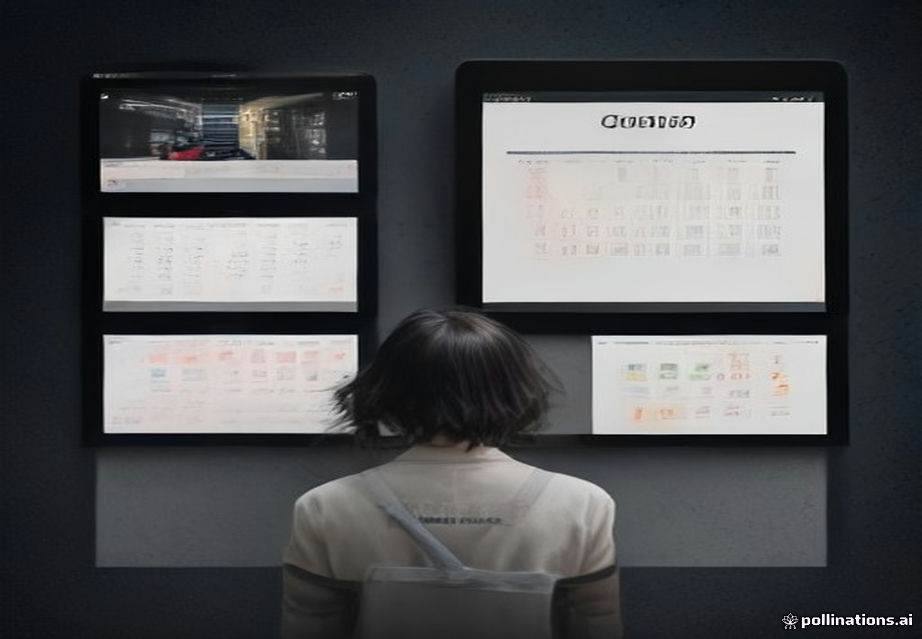
Moving Beyond "Day Of": Implementing Time-Slot Based Booking Management
The traditional party rental booking system is often dangerously simple: the customer selects a date, and the system assumes delivery sometime during a single, vague "day of" window. For any serious operation—whether you specialize in high-demand bounce houses, complex obstacle courses, or large tent setups—relying on this ambiguity is a recipe for logistical chaos, wasted labor hours, and frustrated customers. Your inventory isn't just the equipment; it's your time, your labor, and your vehicle capacity. By transitioning from date-based booking to precise, time-slot based scheduling, you gain granular control over your operational efficiency and, critically, your revenue. This shift requires integrating time management into your core booking logic, making it a functional part of your pricing structure, not just a scheduling note.
The immediate, actionable step you can take today is auditing your current booking flow. If your booking form only asks for a date, you are leaving money and control on the table. You must introduce a time selection field and, more importantly, connect that selection to your pricing model. When a customer selects 9:00 AM – 11:00 AM delivery, the system cannot just confirm availability; it must calculate the associated cost—which includes fuel, labor time, and the opportunity cost of blocking that specific two-hour slot. Understanding how to monetize time is the single biggest lever for increasing profitability in the physical rental industry.
Structuring Time-Based Availability and Inventory
To effectively manage time-sensitive rentals, you must treat your delivery and pickup windows as finite, bookable resources, just like the equipment itself. Your inventory system needs to track not just "Available: Bounce House Model X," but "Available: Bounce House Model X, Tuesday, 9:00 AM - 11:00 AM." This requires moving past simple date calendars and into a matrix of time blocks.
The core challenge here is defining your operational capacity. Before implementing any software change, you must map out your maximum daily capacity. How many delivery teams can you realistically dispatch in a 10-hour day, given travel time, setup time, and mandatory breaks? For example, if your team takes 3 hours of travel/setup/teardown per bounce house, you might only be able to handle 4-5 deliveries per day, regardless of how many slots are available in your booking software. Once you establish this hard limit, you can build the availability logic into your platform.
Concrete Step-by-Step Scenario: A customer books a tent rental. Instead of allowing them to pick any time, your system forces them to select from predefined, pre-calculated time blocks (e.g., 8:00 AM - 10:00 AM, 1:00 PM - 3:00 PM). When the system checks the availability for that specific time block, it cross-references the time slot with your team's current schedule and the total equipment capacity for that day. If the time slot is already booked or if the required setup time exceeds the remaining operational window, the system rejects the booking and prompts the customer to select an alternative, available slot.
Integrating Time into Dynamic Pricing Models
The most critical—and often most overlooked—aspect of time-slot management is pricing. If you only charge for the rental days, you are failing to account for the operational cost of the delivery and retrieval. The time slot itself must carry a variable cost that adjusts based on the time of day, the distance, and the labor required. This is where "dynamic pricing" becomes essential.
A delivery scheduled at 8:00 AM requires a different cost calculation than one scheduled at 3:00 PM. Morning slots often incur higher costs because they require the team to be on the road early, potentially sacrificing other appointments. Conversely, late afternoon slots might cost less if they allow the team to finish their day efficiently. Your pricing structure must reflect this operational reality.
Pricing Components to Automate:
- Base Service Fee: The cost of the equipment rental itself.
- Time Slot Fee: The variable cost associated with the specific 2-3 hour window (this accounts for fuel, initial labor allocation, and opportunity cost).
- Distance/Zone Fee: A variable fee based on the customer's location relative to your operational base.
- Surcharge: Additional fees for premium times (e.g., weekend peak hours, or slots requiring specialized equipment handling).
For instance, if your standard setup fee is $150, but a 7:00 AM delivery requires the team to leave their home base earlier, you might increase the time slot fee by $35 to cover the extra labor time and mileage. This transparent, automated calculation builds trust and ensures you are never under-pricing your logistics.
Optimizing the User Experience for Time Selection
From the customer's perspective, being forced to select a time slot can feel restrictive, leading to friction. However, if presented correctly, it is seen as a sign of professionalism and reliability. The goal is to make the time selection feel like a helpful filter, not a gatekeeping mechanism. The user experience (UX) must guide the customer through the complexity seamlessly.
The booking flow should never present a blank calendar for time selection. Instead, it should present the available time blocks, ideally color-coded or marked with clear status indicators (e.g., "Available," "Limited Availability," "Fully Booked"). Furthermore, you must preemptively calculate the total cost before the customer hits the payment button, showing the line-item breakdown: Rental Cost + Time Slot Fee + Tax = Total.
Actionable UX Improvement: Instead of having a dropdown menu labeled "Time," use a visual calendar interface that highlights available windows. When the customer clicks a specific window (e.g., "Saturday, 10:00 AM - 12:00 PM"), a dynamic summary panel immediately appears, showing the resulting total cost and a brief confirmation of what the team will be doing during that window (e.g., "Delivery and setup of 1 Bounce House and 2 Tables"). This immediate feedback loop reduces anxiety and increases conversion rates.
Mitigating No-Shows and Scheduling Conflicts
The primary benefit of precise time-slot management is the reduction of no-shows and scheduling conflicts. When a customer commits to a specific two-hour window, their commitment level increases dramatically. They are no longer just committing to a date; they are committing to a precise logistical moment.
To capitalize on this commitment, you need a multi-layered confirmation system that is integrated with your booking platform. This system must go beyond a simple email confirmation. It should include mandatory, automated check-ins and deposit structures tied directly to the time slot.
Implementing Stronger Commitments:
- The Time-Specific Deposit: Require a non-refundable deposit that is explicitly labeled as the "Time Slot Reservation Fee." This fee is separate from the equipment deposit and is only refundable if the cancellation occurs 7+ days out. This immediately weeds out casual browsers.
- Pre-Arrival Communication: Automate a confirmation text message 48 hours before the scheduled slot. This text should include a link to a simple confirmation page and ask the customer to confirm the address and contact person for that specific time.
- Clear Cancellation Policies: Your booking terms must explicitly state that failure to show up for the reserved time slot results in the forfeiture of the time slot fee, as that time was blocked and could not be sold to another customer.
Operational Workflow Adjustments: The Day-Of Protocol
Implementing time-slot booking requires a fundamental shift in how your team operates. The booking system is only as good as the people using it. Your internal dispatch and communication protocols must be rigid and highly efficient to match the precision of your front-end booking system.
This means adopting a digital, real-time dispatch system. Field staff should not be using paper manifests. They need a mobile application that displays their day's schedule chronologically, showing the next job's location, required equipment, estimated travel time, and the specific time window they are expected to arrive. This level of detail is necessary to maintain the integrity of the time-slot model.
Example: The Dispatcher's View: The dispatcher logs into the system and sees the day's schedule: 9:00 AM - 11:00 AM: Smith Residence, 123 Oak St. (Bounce House + 1 Table). Status: Confirmed.* 11:30 AM - 1:30 PM: Jones Park, 45 River Rd. (Tent + Obstacle Course). Status: Confirmed.* 2:00 PM - 4:00 PM: Miller Backyard, 78 Pine Ave. (Bounce House). Status: Confirmed.*
If the Smith job runs late, the system must immediately flag the Jones job, showing the projected delay and alerting the dispatcher to whether the Jones job can still be completed within its allotted 11:30 AM start time. This proactive conflict management is the true measure of success in this system.
Scaling and Expanding Services with Time Management
As your business grows, you will inevitably want to add new revenue streams or service types—perhaps integrating local vendors, adding specialized lighting packages, or offering premium cleanup services. The time-slot framework is robust enough to handle this expansion without requiring a complete system overhaul.
When considering expansion, think about how the new service impacts the time required. If you add a complex lighting package, the setup time for every job increases by 45 minutes. This change cannot be managed manually; it must be fed back into the time-slot calculation engine. The system must automatically increase the minimum required time block duration and, consequently, increase the associated time slot fee.
Furthermore, if you begin to manage complementary services, such as coordinating local outdoor maintenance or yard services, a time-slot system provides an immediate and powerful cross-selling opportunity. For example, if a client books a tent and bounce house for Saturday, the system can check the availability of local yard maintenance crews and offer a time-slot for grounds prep (e.g., "Friday, 3:00 PM - 5:00 PM Site Prep") and automatically integrate that booking and associated cost into the final invoice. This is a perfect use case for connecting with local marketplaces, such as those found in local yard and outdoor service marketplaces.
Mastering time-slot management transforms your operation from a reactive service provider into a highly efficient, predictable logistics enterprise.
Implement a specialized system designed for this level of detail; platforms like https://demo.partyrentalcommand.com/ provide the necessary back-end logic to manage these complex, time-sensitive inventory constraints.
Review your current booking technology and prioritize integrating dynamic, time-based pricing and availability tracking immediately.
Ready to turn searches into booked jobs?
Websites and booking systems built only for party rental companies.